
01
Make a small start.
Add an account and record a transaction. A coffee, a bill, a payday. It all starts here.
YOUR MONEY. PRIVATELY UNDERSTOOD.
A little less guesswork. A little more peace of mind.
Track your spending, build a budget, and keep your
financial records right where they belong. With you.
Coming soon for iPhone, iPad & Android
Small everyday habits.
A more considered financial life.
LESS FRICTION. MORE PERSPECTIVE.
No bank passwords. No complicated setup.
Just a few small steps towards feeling more in control.
Add an account and record a transaction. A coffee, a bill, a payday. It all starts here.
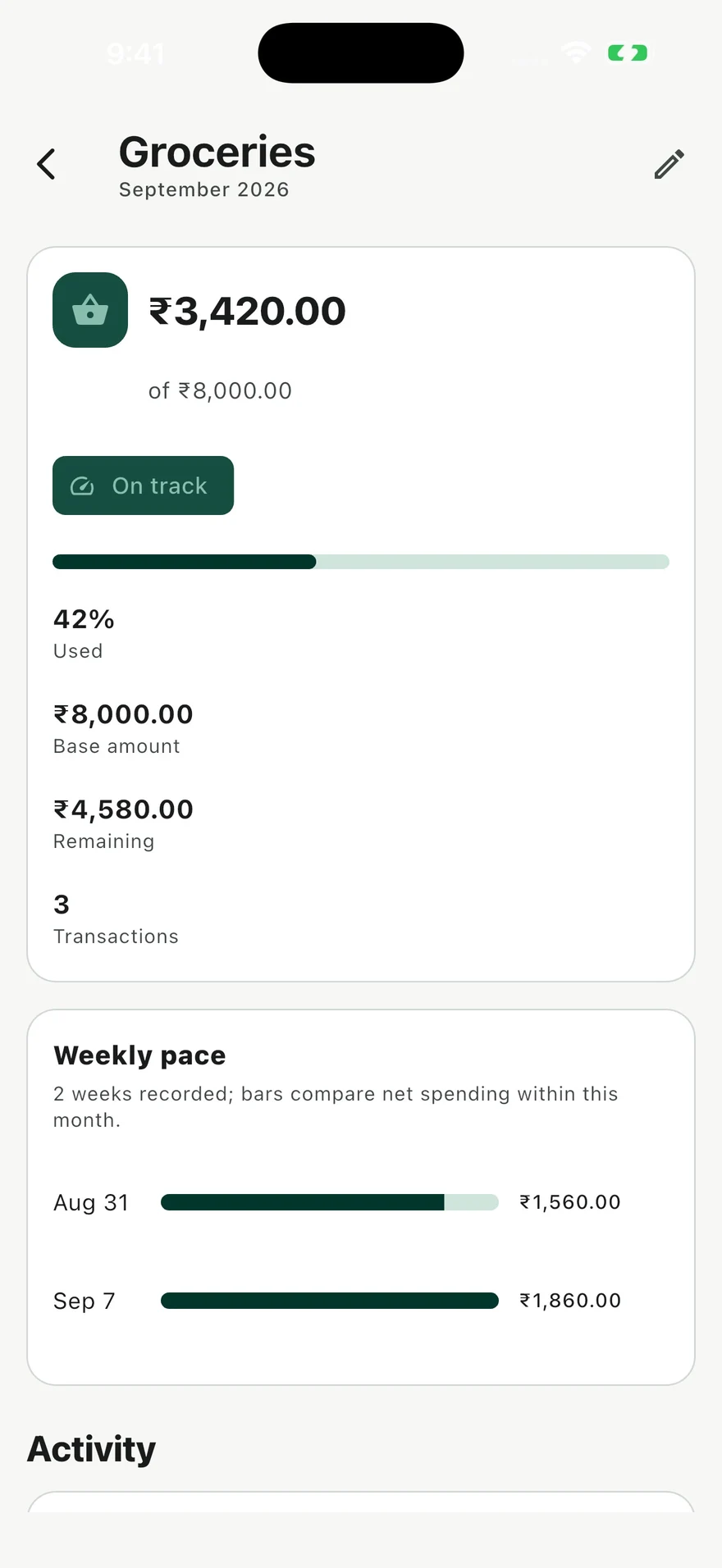
Organize your spending into categories and set monthly budgets that fit your life.
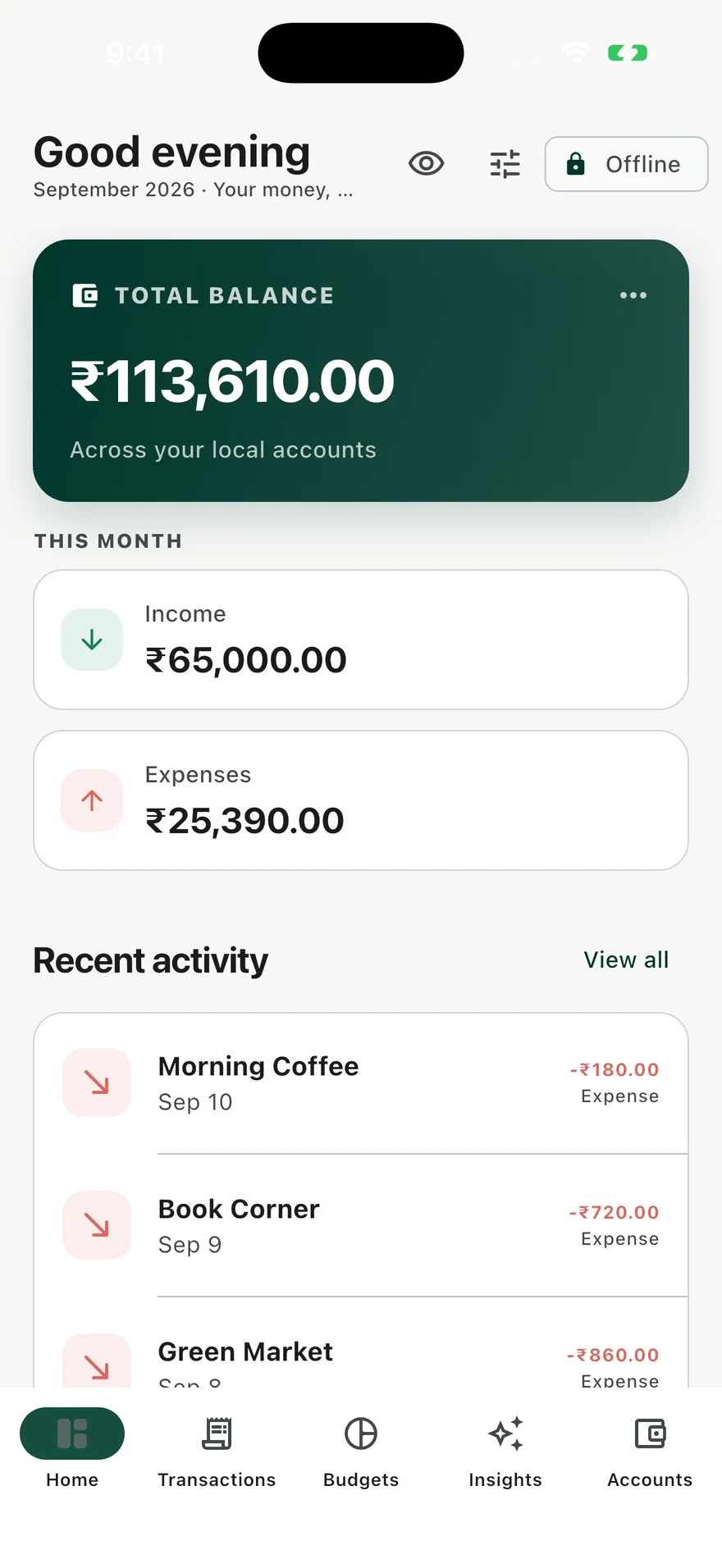
Check your balances, review your activity, and see how your month is taking shape.
THOUGHTFUL TOOLS. EVERYDAY CLARITY.
From your morning chai to your monthly plans.
Bring the details together, without
making money more complicated.
Keep income, expenses, and accounts in one place. Review your activity and know where the month went.
Find your starting point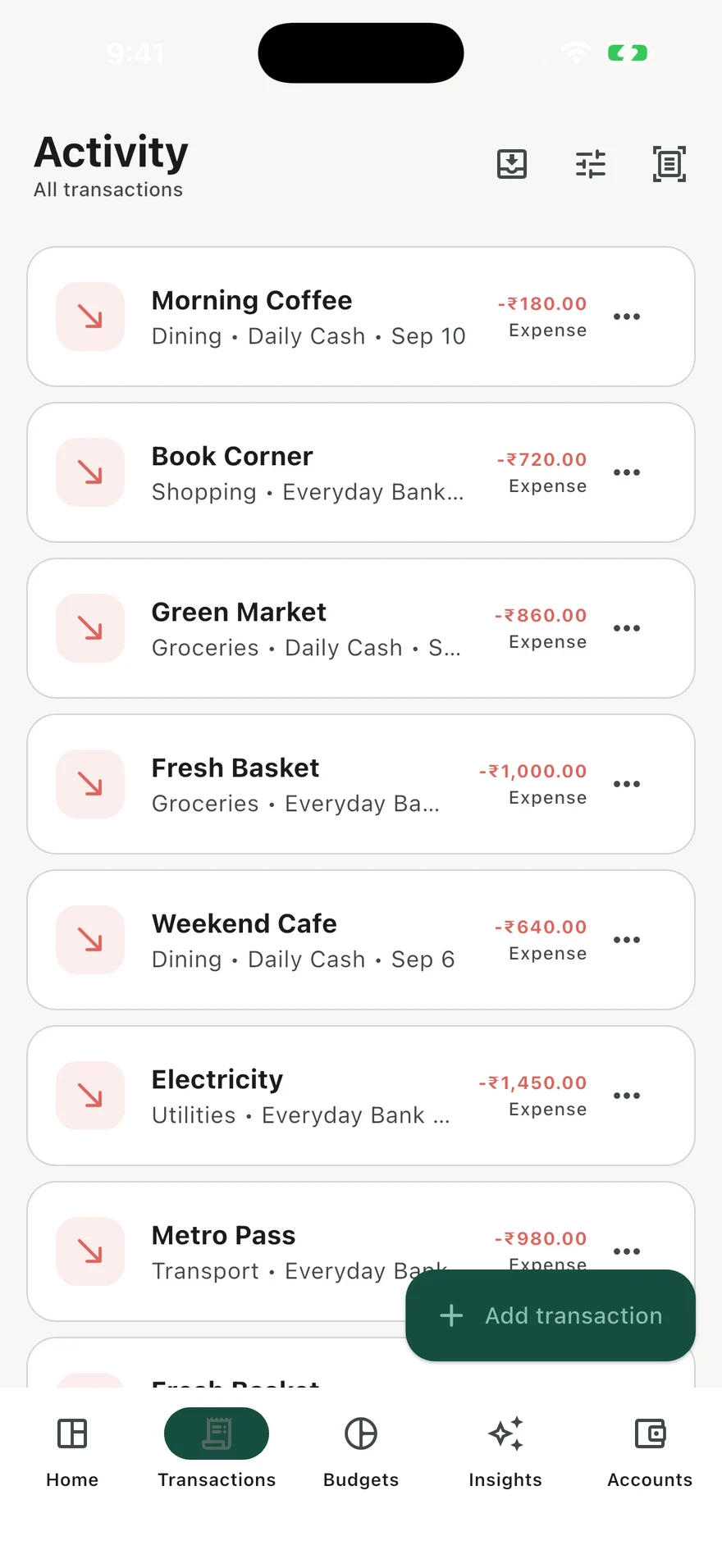
Set monthly category budgets and follow your spending as it happens. Make a plan that feels like you.
Scan a receipt on your device, review the suggested details, and save. Your eyes get the final say.
Optional camera or photo access · Powered by ML KitExplore your spending habits with optional on-device AI. Your financial context stays on your device.
Requires a compatible device and ready system model →PERSONAL FINANCE SHOULD FEEL PERSONAL.
Your financial records live in an encrypted database on your device. No Sanchay account. No bank credentials. No first-party cloud sync.
Understand your privacyTransactions, budgets, and saved insights are encrypted locally. Receipt images use separate temporary storage.
Create a password-encrypted backup and choose where it goes. A cloud destination follows that provider’s policies.
Free-plan ads, store purchases, and some SDK diagnostics may process technical data. Your financial records aren’t included in ad requests.
SIMPLE BY DESIGN
The same thoughtful tools for your money.
One optional upgrade for an experience without app ads.
Build a habit, at your own pace.
A LITTLE CLARITY, EVERY DAY
Your familiar Sanchay, without app ads.
EVERYTHING IN FREE, PLUS
Pro removes app ads. Purchase services and non-ad SDKs may still connect.
App downloads are coming soon. Purchases happen in the app through your store. AI availability depends on your device.
A LITTLE MORE TO KNOW
Money is personal. So are your questions.
We’re here to helpYes. Core account, transaction, and budget features work offline. Receipt recognition and available AI processing happen on your device. Ads, consent checks, purchases, and some SDK updates or diagnostics can use the internet. A ready system AI model is needed for Insights.
No. Sanchay does not ask for a bank login or a hosted Sanchay account. You create local accounts and enter or review the transactions you choose to save. It does not automatically sync balances with your bank.
The current app targets iPhone and iPad on iOS / iPadOS 15.5 or later and Android 8.0 or later. Coming soon for iPhone, iPad & Android. AI has additional requirements described below.
On iPhone and iPad, Insights requires iOS / iPadOS 26 or later, Apple Intelligence-capable hardware, Apple Intelligence enabled, a supported language, and a ready model. Android requires a compatible AICore / Gemini Nano device with its model ready. Availability also varies by region and settings. There is no cloud-model fallback; the ledger works without AI.
Both include the core money-management features. Free can show ads. Pro is implemented as a one-time purchase that removes app ads. See price in the app; availability and regional pricing will be supplied by your store. Pro does not disable all non-ad SDK communication.
On iOS, sign in to the Apple Account used for the purchase, then open Sanchay Settings → Remove ads → Restore purchase. An internet connection and the relevant store account may be needed. Contact support if the store reports a problem. Android store restoration still needs release testing.
Yes. In Settings, select Create encrypted backup and save the password-protected file somewhere safe. Use Restore from backup to import it; restoring replaces the current local dataset after confirmation. Keep the password separately. There is no automatic cloud sync, and Sanchay cannot recover a forgotten backup password.
The current app and this website include English and Hindi interfaces. Use the language switcher at the top of any website page. AI language support is controlled by the system model and can differ from the app language.
Delete a transaction from its transaction menu, or clear saved conversations from Insights. Advertising Privacy choices appears in Settings when the consent provider requires it. There is no hosted Sanchay account to delete. Exported backups, original receipt images, and provider-held records need separate handling. See Privacy choices for details.
Read the data and consent guideONE SMALL STEP. A CLEARER PICTURE.
Your money. Privately understood.
Find your Sanchay Coming soon for iPhone, iPad & Android